
When to Replace Running Shoes: The Complete Guide for Every Runner

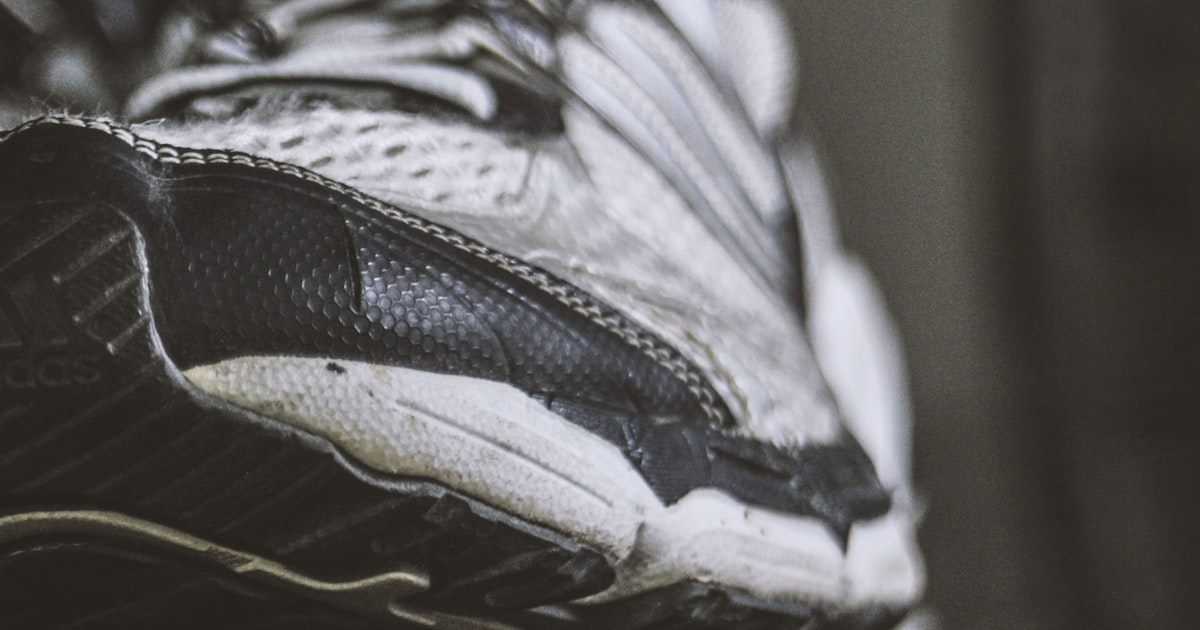
Replace your running shoes every 500 to 800 kilometers (300 to 500 miles). But that range is wide for a reason — your actual replacement point depends on your weight, the surfaces you run on, your gait, and the shoe construction itself.
Getting this wrong has real consequences. Run too long on dead shoes and you absorb extra impact with every stride. Your knees, hips, and plantar fascia take the hit. Replace too early and you’re wasting money. This guide covers what the research actually says, the physical signs to watch for, and how to track mileage so you’re never guessing.
The Mileage Rule: What Research Actually Says
You’ve probably heard “300 to 500 miles” repeated so often it sounds like settled science. The origin of this guideline traces back to a 1985 study by Cook, Kester, and Brunet, which examined midsole compression in running shoes and found meaningful degradation in shock absorption after roughly 250 to 500 miles of use. For decades, that range became the standard advice repeated by shoe stores, running magazines, and coaches.
But the running shoe industry has changed dramatically since 1985. Modern foams — Pebax-based materials like Nike ZoomX, Adidas Lightstrike Pro, and ASICS FF Blast Plus — behave differently than the EVA foams of the 1980s. A 2018 study in the Journal of Science and Medicine in Sport found that midsole hardness increases by roughly 25% after 500km of use, but the rate of degradation varied significantly by foam type. A 2021 study showed that running economy declines measurably in high-mileage shoes, but again, the threshold wasn’t a single number.
The honest answer: 500-800km is a useful starting range, but your shoes might die at 400km or last to 1,000km depending on construction and usage. The mileage number is a flag to start paying attention — not an automatic trigger to buy new shoes.
What matters more than any single number is knowing your actual mileage and watching for physical signs of breakdown. That combination — data plus observation — is what keeps you running on shoes that are actually protecting you.
7 Signs Your Running Shoes Need Replacing
Mileage tracking tells you when to start looking. These physical signs tell you when it’s actually time.
1. Worn Outsole Tread
Flip your shoes over. If the rubber outsole is worn smooth in the forefoot or heel — especially if you can see the midsole foam underneath — the shoe has lost its grip and ground contact geometry. Uneven wear patterns also indicate the shoe is no longer supporting your gait the way it was designed to.
2. Compressed Midsole (The Press Test)
Push your thumb into the midsole foam along the side of the shoe. In a new shoe, the foam pushes back with resistance. In a dead shoe, it stays compressed or feels noticeably harder than when you bought it. This is the most important test because midsole degradation is the primary safety issue — it’s the layer absorbing impact forces with every footstrike.
3. Visible Midsole Creases
Look at the midsole from the side. Deep horizontal creases, especially under the ball of the foot, indicate the foam has been repeatedly compressed beyond its ability to recover. Light surface wrinkles are normal. Deep creases that look like the foam is folding in on itself mean the cushioning is compromised.
4. Heel Counter Breakdown
Cup the back of the shoe in your hand and try to squeeze it side to side. The heel counter (the rigid structure around your heel) should feel firm and hold its shape. If it collapses easily or leans to one side when you set the shoe on a flat surface, it’s no longer providing stability. This is especially important for runners who overpronate.
5. New Blisters in Familiar Shoes
If you’ve been running in a pair for months without issues and suddenly develop blisters, hot spots, or rubbing in new places, the shoe’s upper and internal structure have likely stretched or shifted. The fit has changed. Your foot is moving inside the shoe differently than it used to.
6. New Aches After Runs
This is the sign most runners notice first — and unfortunately, it means you’ve already been running on degraded shoes. If you develop shin pain, knee soreness, plantar fascia tightness, or hip discomfort that wasn’t there before, and your training load hasn’t changed, worn shoes are a prime suspect. I’ve seen this happen with multiple runners in our Bronte Runners club in Oakville. Someone shows up complaining about a new knee issue, and when we look at their shoes, the midsole is completely shot.
7. The Shoes Just Feel Harder
Your body is a better sensor than most lab equipment. If your regular easy-pace run feels like you’re running on a thinner surface — if you can feel the road more than you used to — trust that perception. The foam has lost its energy return and cushioning properties. This feeling often appears gradually, which is why mileage tracking matters: it gives you an objective number to check against your subjective experience.
Running Shoe Lifespan by Type
Not all running shoes are built to last the same distance. Construction, foam density, stack height, and intended use all affect how long a shoe maintains its protective properties.
| Shoe Type | Expected Lifespan (km) | Expected Lifespan (miles) | Notes |
|---|---|---|---|
| Daily Trainers | 500–800 km | 300–500 mi | Workhorse shoes designed for durability. Most common category. |
| Racing Flats / Carbon Plate | 250–500 km | 150–300 mi | Lighter foams and thinner construction trade durability for speed. |
| Trail Running Shoes | 500–800 km | 300–500 mi | Outsole lugs wear faster on rock/hardpack; foam lasts longer on soft terrain. |
| Minimalist / Barefoot | 300–500 km | 200–300 mi | Less foam means less margin before ground feel changes significantly. |
| Max Cushion (Hoka, etc.) | 600–900 km | 375–560 mi | Thicker midsoles can absorb more compression cycles before failing. |
| Recovery / Easy Day | 600–1,000 km | 375–620 mi | Built for durability over performance. Heavier, denser foams. |
A few things stand out in this table. Racing shoes die fast — that carbon-plated super shoe you paid $300 for might only give you 250km of peak performance. If you race in them and train in something else, they’ll last longer in calendar time but still degrade per-kilometer at the same rate. Trail shoes are tricky because the outsole often wears out before the midsole, especially on rocky terrain. Check both.
Factors That Shorten or Extend Shoe Life
The 500-800km range assumes a “typical” runner on typical surfaces. But several factors move that number significantly.
Runner Weight
Heavier runners compress midsole foam more with each stride. A 90kg (200 lb) runner will break down the same shoe faster than a 60kg (130 lb) runner, sometimes by 20-30%. If you’re on the heavier side, plan to replace closer to the low end of the mileage range for your shoe type.
Running Surface
Pavement is the hardest common running surface and degrades outsoles and midsoles fastest. Packed gravel and dirt trails are moderately forgiving. Soft trails, grass, and tracks are the easiest on shoes. If you split your running between pavement and trails, your shoes will last longer than if you run exclusively on asphalt.
Gait and Footstrike
Heel strikers tend to wear out the heel crash pad and compress the rear midsole faster. Forefoot strikers concentrate wear under the metatarsals. Overpronators stress the medial (inner) side of the midsole more heavily. None of these patterns are “wrong,” but they affect which part of the shoe fails first and how quickly.
Climate and Storage
Heat breaks down foam faster. Leaving shoes in a hot car trunk or next to a heater accelerates midsole degradation even when you’re not running in them. Store shoes at room temperature, out of direct sunlight. Wet shoes should be air-dried with newspaper or a shoe dryer — never in a clothes dryer. The heat from a dryer can damage foam and adhesives in a single cycle.
Running Cadence
Higher cadence (more steps per minute at the same pace) means each individual footstrike carries less force. Runners with a cadence above 180 spm tend to get slightly more life from their shoes compared to runners at 160 spm covering the same distance, because each impact is lighter.
The Shoe Rotation Strategy
If you’re running 3 or more days per week, rotating between at least 2 pairs of shoes is one of the best things you can do for both injury prevention and shoe longevity.
A 2015 study in the Scandinavian Journal of Medicine & Science in Sports found that runners who rotated between multiple pairs of shoes had a 39% lower risk of running-related injury compared to single-shoe runners. The likely reasons:
- Foam recovery time. Midsole foam needs 24-48 hours to fully decompress after a run. Running on the same pair daily doesn’t allow this recovery, accelerating permanent compression.
- Varied biomechanical stimulus. Different shoes have different heel-to-toe drops, cushioning profiles, and support structures. Alternating between them varies the mechanical load on your feet and legs, reducing repetitive strain on any single tissue.
- Different shoes for different runs. Using a cushioned trainer for easy runs and a lighter shoe for speed work matches the tool to the task.
I rotate 6 pairs in my own training — I can see them all on my ASICS Novablast 5 screen in RunMate Pro. My Novablast 5 is my daily trainer with the most mileage. I have lighter shoes for tempo days and older pairs I use for muddy or wet conditions where I don’t care about the shoe’s remaining lifespan. Each pair tracks independently, so I know exactly where every shoe stands.
The practical benefit of rotation goes beyond injury reduction. If you have 3 pairs in rotation instead of 1, each individual pair lasts roughly 3 times as long in calendar time. You’re not spending more money on shoes overall — you’re spreading the same total mileage across multiple pairs and replacing them less frequently.
How to Track Running Shoe Mileage
There are two approaches: manual tracking and app-based tracking. Both work. One is significantly easier to maintain.
Manual Tracking
Write down the date, distance, and which shoes you wore after every run. A spreadsheet works. A notebook works. The problem is consistency — most runners do this for a few weeks, then forget, then have no idea where their shoes stand. I tried this for a year before building something better. By month 3, my spreadsheet was more fiction than data.
App-Based Tracking
Some running apps include shoe tracking as a feature, but many bury it behind subscriptions or make it cumbersome to use. Strava offers shoe tracking but it requires a manual step to assign shoes to each activity after the fact, which most people skip.
When we built RunMate Pro, shoe mileage tracking was a core feature from day one — not an afterthought. Before each GPS-tracked run, you select which shoes you’re wearing. After the run, the distance is automatically added to that shoe’s total. You set a lifespan target for each shoe (say, 700km for your daily trainers, 400km for your racing flats), and the app alerts you when any shoe approaches its limit.
You can add as many shoes as you want. I currently have 6 pairs in my rotation, each with its own mileage total. At a glance, I can see that my Novablast 5 is approaching its target while my newer pairs still have plenty of life left. No spreadsheet. No guessing. No forgetting to log.
RunMate Pro is free on iOS — shoe tracking is included at no cost, with no subscription required.
What About Just Checking the Shoe?
Some runners skip mileage tracking entirely and just inspect their shoes periodically. This works better than nothing, but it misses the core problem: midsole degradation is largely invisible. The foam breaks down internally before you see external signs. By the time the shoe looks worn, you’ve likely been running on compromised cushioning for 100+ kilometers.
Tracking mileage lets you catch the problem at 600km instead of at 800km when your knee starts hurting.
A Personal Note on Shoe Tracking
I started running seriously a few years ago and quickly accumulated shoes. ASICS Novablast 5, New Balance FuelCell, a pair of trail shoes, rotation pairs. Within six months I had no idea which shoes had how many kilometers on them. I was guessing, and guessing wrong.
That frustration was one of the reasons I built RunMate Pro. I wanted a simple way to select my shoes before a run and have the mileage tracked automatically. Now, with 75+ runs and over 400 kilometers logged across 6 pairs, I know exactly where every shoe stands. When my Novablast 5 hits its target, I’ll know — not because my knee told me, but because the data told me first.
Running with the Bronte Runners here in Oakville, I’ve watched people show up with shoes that are clearly past their lifespan. The foam is dead, the heel counter is collapsing, and they’re wondering why their IT band is flaring up. The fix isn’t always a new shoe — but it’s the first thing to check.
Frequently Asked Questions
Can I still run in shoes past 800km?
You can, but you’re accepting increased injury risk. The cushioning properties have degraded meaningfully by this point. Some runners use old shoes for walking or gym work, which puts less impact through the midsole. For running, replace them.
Do shoes expire if I don’t run in them?
Yes, but slowly. The foam and adhesives in running shoes degrade over time even without use. Most manufacturers suggest a shelf life of about 2-3 years for unworn shoes stored properly. If you find a pair in your closet from 2020, the foam has likely hardened regardless of the zero-mile odometer.
Should I replace both shoes at once even if one side wears faster?
Running shoes are always sold and replaced as a pair. If one shoe shows more wear than the other, that’s useful information about your gait asymmetry — bring it up with a physiotherapist or running store specialist. But always replace the full pair. For gait-related issues, TapeGeeks has resources on injury prevention taping techniques that can help address underlying imbalances.
Is there a way to make running shoes last longer?
Yes. Rotate between multiple pairs (giving foam 24-48 hours to recover), untie laces when removing shoes (preserving the heel counter), air dry wet shoes instead of machine drying, and store them at room temperature away from heat and sunlight. Running on softer surfaces when possible also extends shoe life.
How does runner weight affect shoe replacement timing?
Significantly. A general guideline: if you weigh over 85kg (190 lbs), plan for the lower end of any mileage range. If you’re under 65kg (145 lbs), you can often push toward the higher end. A 95kg runner might get 450km from a daily trainer that lasts a 60kg runner 750km. Track your own mileage and correlate it with how the shoe feels — over time, you’ll learn your personal replacement point for each shoe model.
Start Tracking Today
Knowing when to replace your running shoes comes down to two things: tracking your mileage and watching for physical signs of breakdown. The mileage gives you a warning. The physical signs confirm it.
If you’re not tracking shoe mileage, start now. It takes 5 seconds before each run to select your shoes in RunMate Pro, and the app handles everything else. It’s one of the simplest injury prevention habits you can build.
Your shoes have an expiration date. The only question is whether you know what it is.
Download RunMate Pro free on iOS | See all features | Read the Runner’s Guide
For more on running shoe science, see guides from Nike, REI, and Runner’s World.
Ready to run smarter?
Download RunMate Pro free on iOS — no account, no ads, no noise.
Download Free on iOSGet more like this
Running tips, injury prevention, and app updates — straight to your inbox.
No spam. Unsubscribe anytime.